You cleaned up your Threads feed on a Sunday night. A few accounts that post every hour, a couple you followed out of politeness, one brand that never stops selling. Then the thought hits: did that unfollow also land on Instagram?
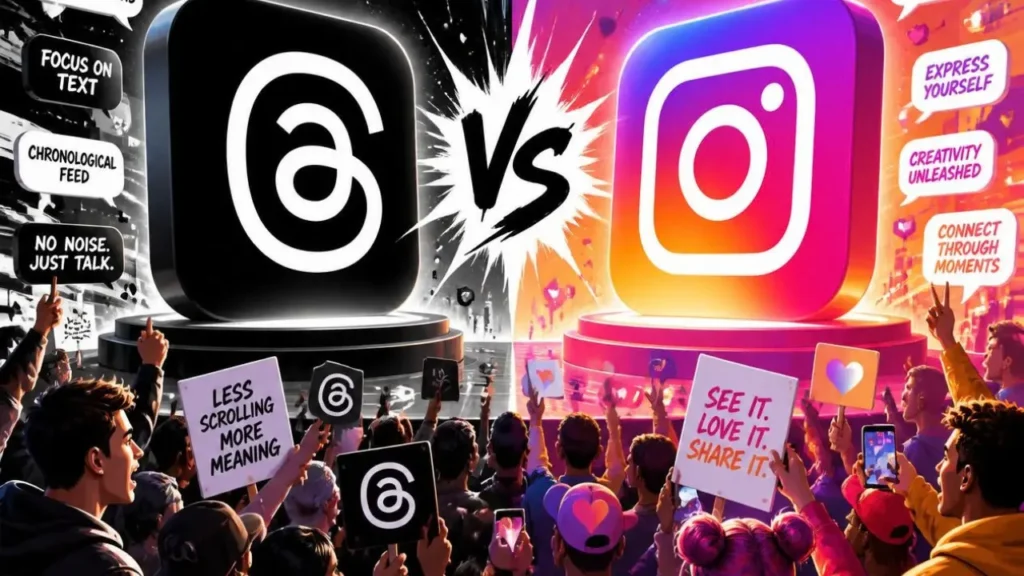
It did not. Unfollowing someone on Threads does not unfollow them on Instagram, and the other way around is just as separate. The two apps share a login and a lot of profile settings. They do not share one follow list.
That split is the whole answer, and it is also why the worry feels so reasonable. The apps look related. The usernames often match. A badge on one profile can mention the other. None of that means a Threads unfollow rewrites your Instagram relationships.
Does unfollowing on Threads affect Instagram?
No. A follow on Threads and a follow on Instagram are two records. Removing one leaves the other where it was.
If you follow Maya on both apps and unfollow her on Threads, she stays in your Instagram following list. Your Instagram follower count does not move because of that tap. She does not get an Instagram unfollow from you. Her Instagram notifications are not pinged about a Threads cleanup.
The reverse is the same. Unfollowing Maya on Instagram does not remove her from your Threads following list. People treat the apps like one account with two doors. Meta built them as two networks that can talk to each other, not as one network with two skins.
A few things still feel connected, which is where the confusion starts:
- Your Threads profile is usually tied to the same Instagram login.
- Username, profile photo, and bio can sync, unless you set Threads to use its own.
- Threads can suggest people you already follow on Instagram.
- A profile may show that someone follows you on the other app, if that display is turned on.
Those are links between profiles. They are not the follow itself. Curating Threads does not silently edit the list of people you follow on Instagram.
Why the two apps feel like one account
Threads launched inside the Instagram login. For a long time you could not even delete a Threads profile without touching Instagram. That history sticks. People still assume every action crosses over.
What actually carries across is identity, not the follow graph.
You sign in with the same account. Verification can show on both. If you have not split the profile details, a new photo on one can show up on the other. When someone opens your Threads profile, they may see a path back to your Instagram, and the other way around.
Threads also used your Instagram circle as a starting point. People you follow on Instagram who joined Threads were easy to find, and sometimes easy to follow in a batch when you first opened the app. That import is a one-time convenience. It does not lock the two lists together forever. After that moment, each list changes on its own.
So you can follow a colleague on Instagram because you work together, and not follow them on Threads because their feed is all local politics. Or you can follow a writer on Threads and never follow their photo account. Both setups are normal. Neither one sends a signal that you removed the other follow.
What an unfollow on Threads actually does
On Threads, an unfollow does one job. Their posts leave your Following feed. You stop seeing that account in the place Threads reserves for people you chose.
It does not:
- Remove them from your Instagram following list
- Remove you from their Instagram followers, if they followed you there
- Change your Instagram follower count
- Post anything on your Instagram profile
- Send them an Instagram alert that you unfollowed
Threads does not announce unfollows. There is no push that says you left. Most people only notice if they look at their own following list, or if your replies disappear from a conversation they expected you to stay in.
That last part is social, not technical. If you reply to someone every day and then vanish from their Threads feed, they may wonder what happened. They will not see an Instagram unfollow unless you also unfollowed them there.
What still can cross between Threads and Instagram
The follow lists are separate. A few settings are not, and those settings are what make a cleanup feel public.
Suggestions. Threads can recommend your profile to people on Instagram, and Instagram can recommend you to people on Threads. If you would rather keep a casual Threads feed away from your main photo account, turn the suggestion toggles off. In the Threads app, open your profile, then the menu, then Privacy. Look for options such as showing Instagram followers on Threads, and suggesting your Threads posts on Instagram. Switching those off does not delete follows. It stops the apps from advertising the link.
Badges. A profile can show that someone follows you on Instagram while you are looking at them on Threads. That badge reads your Instagram relationship. It does not update because you unfollowed them on Threads. If the badge disappears, it is because the Instagram follow changed, or because the display setting is off.
Profile sync. Photo, name, and bio can mirror across. If you are using Threads for a different tone, set a Threads-only photo and bio so a feed cleanup is not the only thing that separates the two profiles.
Blocks and restricts. Safety tools have been tighter than follows. On linked accounts, a block has at times applied on both apps, because Meta treats that as one person’s safety choice rather than a feed preference. If you only want someone out of a feed, unfollow or mute. Do not block unless you want the stronger break. Check the in-app wording on your own account before you rely on it, since Meta has been splitting more controls over time.
Deactivating or deleting Threads. You can deactivate or delete a Threads profile and keep Instagram. Deleting Threads hides that profile and its posts. It does not delete your Instagram account, your Instagram followers, or the people you follow there.
A cleanup that will not offend your Instagram circle
The fear behind this search is usually specific. Your Instagram is the account clients, family, or mutual friends actually watch. Threads is where you followed faster, argued more, or joined a niche that does not belong on the grid. You want the second feed quieter without a trail on the first.
You can do that.
Unfollow on Threads when the feed is noisy. Mute when you might want the account later but not in today’s scroll. Neither action writes to Instagram.
If the person also follows you on Instagram, they still do. If you follow them on Instagram, you still do. The only Instagram-side change is one you make yourself, in the Instagram app.
A practical split many people land on:
- Instagram follows stay for people you know, clients, and accounts tied to your real name.
- Threads follows stay for writers, news, niches, and accounts you would not put on a close-friends list.
- Suggestion settings stay off if you do not want either audience pushed at the other.
That is curation, not a snub. The apps were built so those lists could diverge.
How to check the Instagram side without guessing
After a Threads cleanup, the useful check is the Instagram list itself, not a feeling that something crossed over.
Open Instagram, go to your following list, and search the username. If they are still there, the Threads unfollow did nothing to that relationship. Do the same on Threads if you are worried you cleaned the wrong app.
For a full pass, Instagram’s own export is the clean source. Request your data in the Instagram app, choose JSON, and download the file when it arrives. That file is a snapshot of followers and following at the time Instagram prepared it. It is not a live feed, and it says nothing about who you follow on Threads.
If you want that snapshot sorted into people who do not follow you back, mutuals, and fans, without handing over a password, Unfollower Check reads the export in your browser. The file stays on your device. Nothing is uploaded, and the result is your Instagram graph only. A Threads unfollow will not show up in it, because it was never an Instagram event.
Use that when you are actually auditing Instagram. Do not use it to explain a Threads cleanup. Different list, different question.
What about follower counts?
Your Instagram follower count and your Threads follower count are separate numbers. Losing a follower on Threads does not subtract one on Instagram. Gaining one does not add one either.
A drop on Instagram after a Threads session is almost always something else. Someone unfollowed you on Instagram on their own. Instagram removed a spam account. A deactivated account fell out of the count. The timing feels related because you were in the apps at the same time. The lists did not sync.
The same caution applies to “not following back.” Someone can follow you on Instagram and not on Threads. That is not an unfollow. It is a follow that never existed on the second app. Counting it as a loss will send you looking for a cause that is not there.
If you want the accounts less tied together
You do not have to unlink anything to keep follows separate. They already are. Unlinking only matters if you want fewer shared signals.
In Threads, under Privacy, turn off showing Instagram followers and suggesting your posts on Instagram if those toggles are available on your account. Set a separate Threads photo and bio if the synced ones feel too close to your main profile.
To step back further, deactivate the Threads profile. Your Instagram login, posts, followers, and following list stay. If Meta has offered account separation in your Account Centre, that path lives under the Threads account settings, not under the unfollow button.
None of these steps are required before you clean a feed. They are for people who want the public link quieter, not for people who only wanted fewer posts in Following.
Clean the feed you meant to clean
Threads is the app for a looser follow list. Instagram is still the one most people treat as the main account. Meta kept those follow lists apart, even while it kept the login together.
Unfollow on Threads when the feed is wrong. Leave Instagram alone unless you meant to change Instagram. If you do want a clear look at who does not follow you back on Instagram, use your own export and a check that never asks for your password: https://unfollowercheck.com/.
Quick answers
Does unfollowing on Threads affect Instagram followers?
No. Instagram followers stay. Threads followers are a different count.
Does the person get notified on Instagram?
No. A Threads unfollow does not send an Instagram notification.
If I follow them on both, and unfollow on Threads, do I still follow them on Instagram?
Yes. Open Instagram and search your following list if you want to see it yourself.
Does unfollowing on Instagram remove the Threads follow?
No. Clean each app on purpose.
Can Threads still show that I follow them on Instagram?
It can, if the badge or “show Instagram followers” style setting is on. That badge describes the Instagram follow. It is not created by the Threads follow.
Will checking my Instagram data show a Threads unfollow?
No. An Instagram export only describes Instagram.